PDF credit pack
3
PDF credits
$18
USD · tax excluded
$6.00
per credit
KinVisa is free to download, and building and previewing a document is free and unlimited. Saving the finished PDF uses one credit. Credits are bought in packs, inside the app.
Download the app
KinVisa is free to download for macOS and Windows.
Sign in with your email
The app sends you a sign-in link. There is no password. Your credits belong to this account.
Build and preview for free
Add sections and photos, label people, and page through the whole document without spending anything.
Buy a pack when you save
Choose a pack in the app, from the save screen or from Settings. Polar takes the payment, and the credits arrive within seconds.
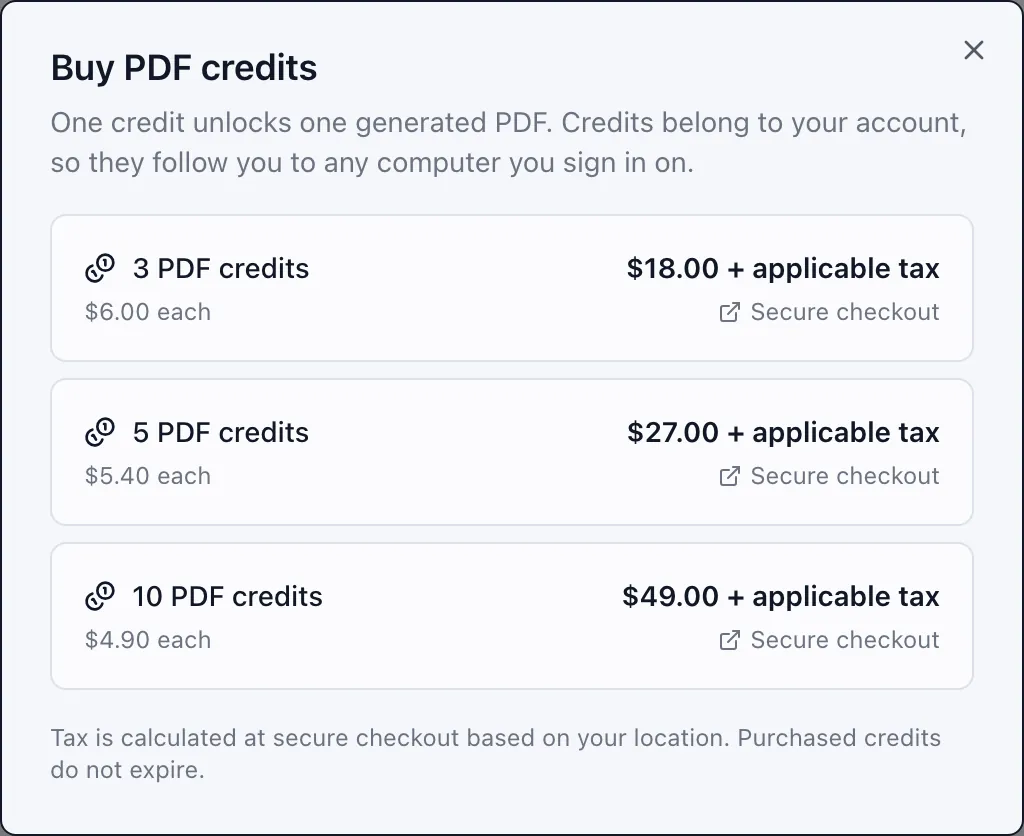
Credit packs
Credits are purchased once, do not expire, and remain in your account until they are used.
PDF credit pack
3
PDF credits
$18
USD · tax excluded
$6.00
per credit
PDF credit pack
5
PDF credits
$27
USD · tax excluded
$5.40
per credit
PDF credit pack
10
PDF credits
$49
USD · tax excluded
$4.90
per credit
Taxes are not included. Prices are in US dollars. Any applicable sales tax, VAT or GST is added at checkout, and Polar shows the full total before confirmation.
Purchases are made in the app. Credit packs are bought inside KinVisa, from the save screen or from Settings, not on this website.
Delivery is instant. Credits are added to your account as soon as payment succeeds, normally within seconds. Nothing is posted to you — there is no physical product, no shipping and no delivery address to give.
Polar handles payment. Which cards and payment methods you can use is set by Polar and varies by country. Polar shows the options available to you at checkout, and takes the payment itself.
Credit usage
One credit allows you to save one finished document as a PDF file on your computer. Previewing does not use a credit.
Build the whole document, page through every spread, fix captions and remove anything you don't want — all without spending a credit. You only spend one when you decide to save the file.
Spending a credit unlocks that document for your account and writes the PDF wherever you choose to save it.
Once a document is unlocked it stays unlocked. Rebuilding it, previewing it again, or saving another copy costs nothing further.
If you change the photos, captions or details, the result is a new document. Saving it spends another credit.
The FAQ explains accounts and credits, the Terms of Use sets out the applicable conditions, and the Refund Policy covers when a purchase can be refunded. For other questions, email [email protected].