One line
Organise relationship photos, label people, and create a structured photo PDF with KinVisa.
Press & Media
KinVisa helps you group photos into sections, identify the people shown, add context, and create an organised photo document that can be used as supporting documentation for a visa application.
Everything on this page, in one download: logos, app icons, five screenshots and a fact sheet.
At a glance
On the user's computer
Online services
Boilerplate
Organise relationship photos, label people, and create a structured photo PDF with KinVisa.
KinVisa helps you group photos into sections, identify the people shown, add context, and create an organised photo document that can be used as supporting documentation for a visa application.
KinVisa is a desktop app for turning your relationship and family photos into an organised document. Add sections, import local photos, label people and their relation to the applicant, review suggested captions, and preview the PDF. Face detection, matching and document generation run on your computer. Previewing is free; saving a new generated document uses one PDF credit. Accounts, credits, payments and support use online services.
Product
Group photos into named sections such as a wedding, trips together or a year, each with an optional date or date range and a short description.
A local face model finds the people in each photo. Nothing is sent to a cloud service for this.
Name a person and their relation to the applicant, and KinVisa suggests the same label when that face appears in other photos. The user reviews every suggestion.
Captions are assembled from the names and relations the user entered, read left to right, and can be edited by hand.
Section headings, dates, context and captions are laid out on A4 pages, with a linked contents page when there is more than one section.
Set a target file size (5 MB by default) and KinVisa compresses to meet it where it can. Choose from five PDF colour themes.
Preview the whole document before deciding to save it. Saving a new document uses one credit.
Saved documents can be reopened from History on the same computer and saved again without another credit if nothing has changed.
Brand assets

For white and light backgrounds
The SVG sets “inVisa” in Arial Bold; use the PNG if Arial is missing.

For dark backgrounds
The SVG sets “inVisa” in Arial Bold; use the PNG if Arial is missing.
The macOS app icon, on its own tile

The K, document and family, without a tile
Single colour, for print and small sizes
Product
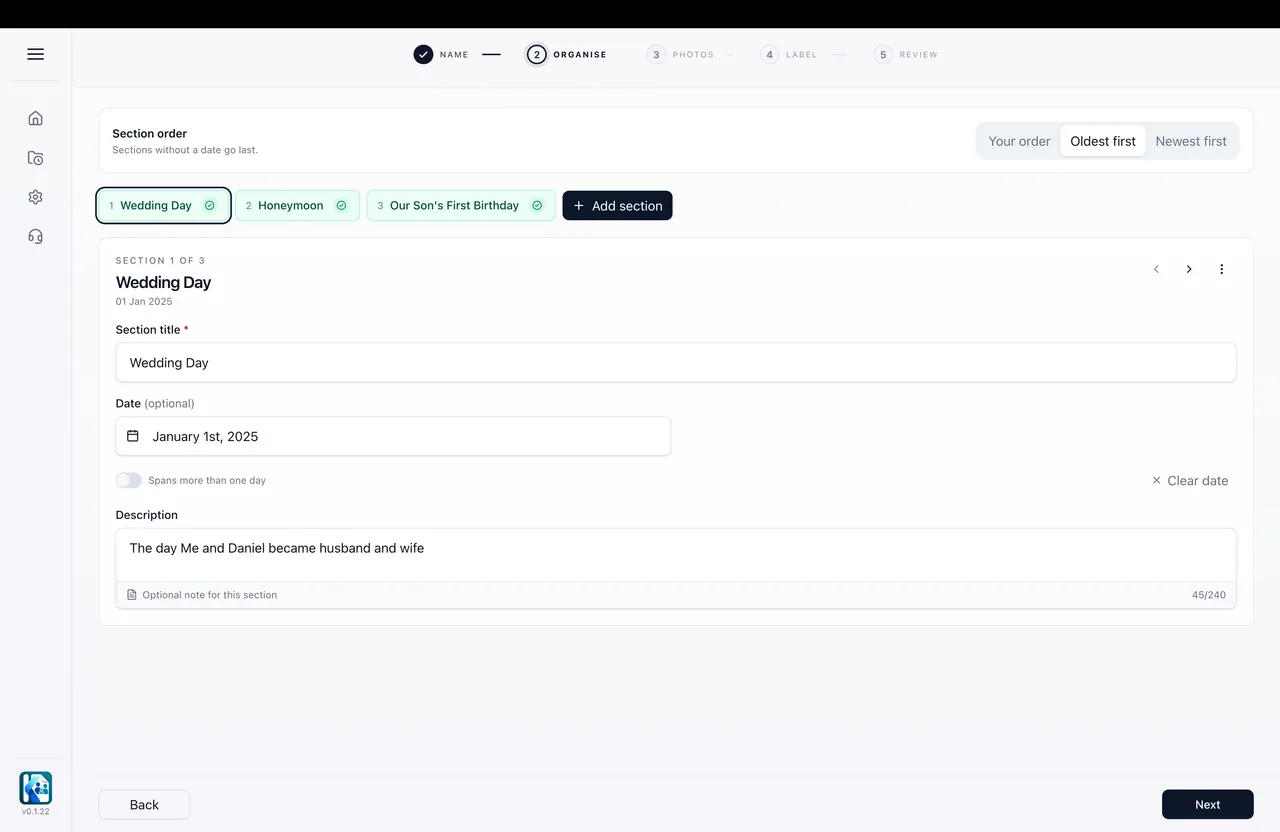
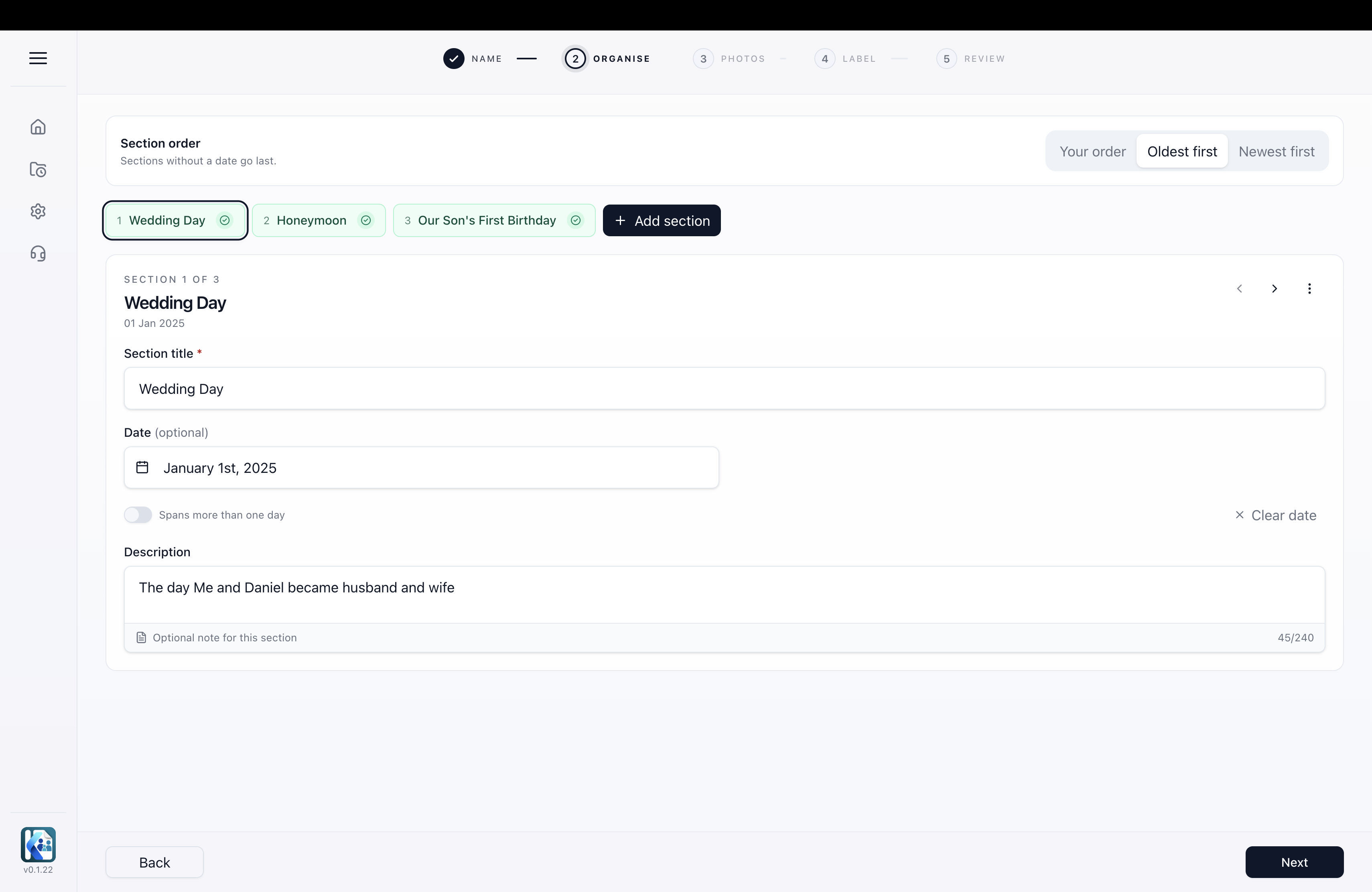
Three sections set up for the document, with Wedding Day selected and the section order shown.
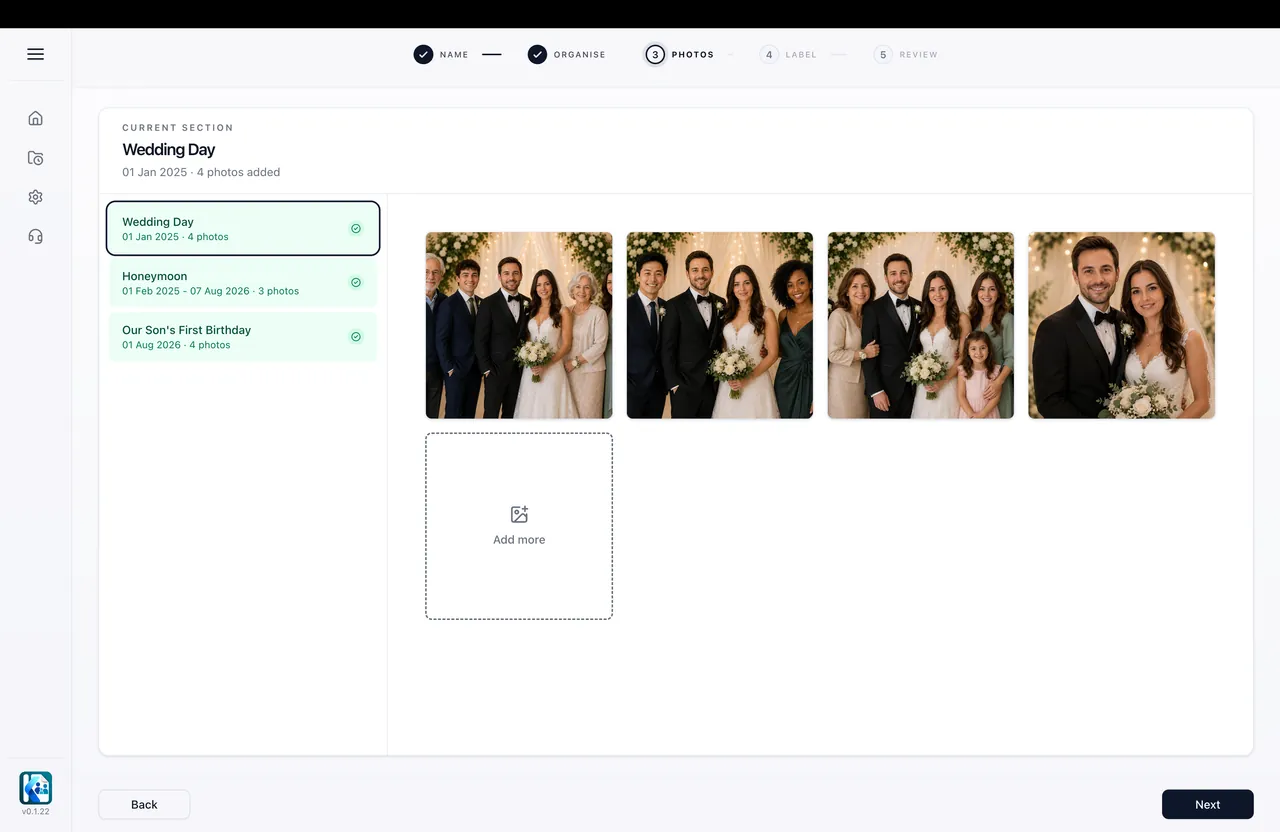
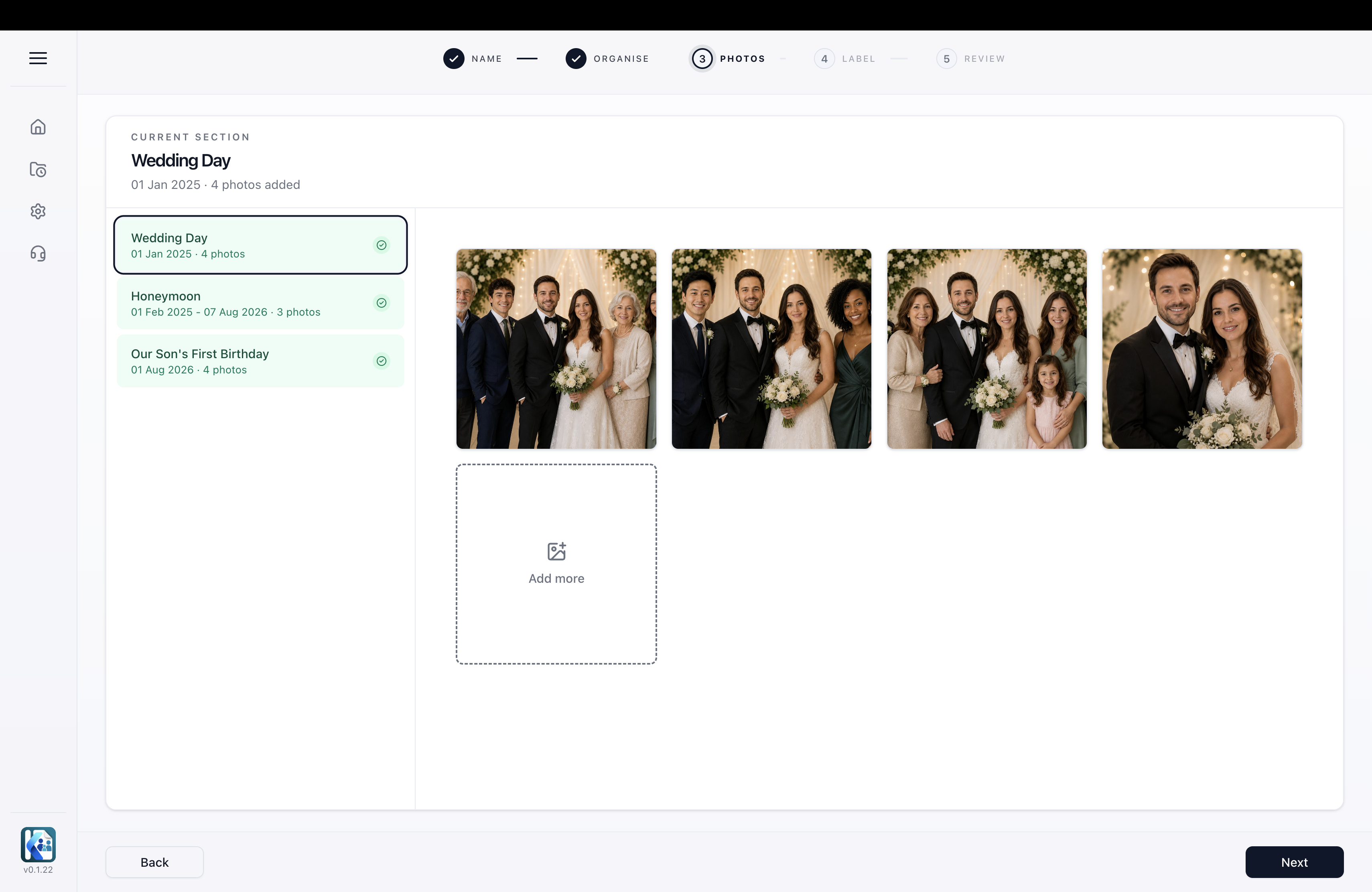
Photos imported into the Wedding Day section from the computer.
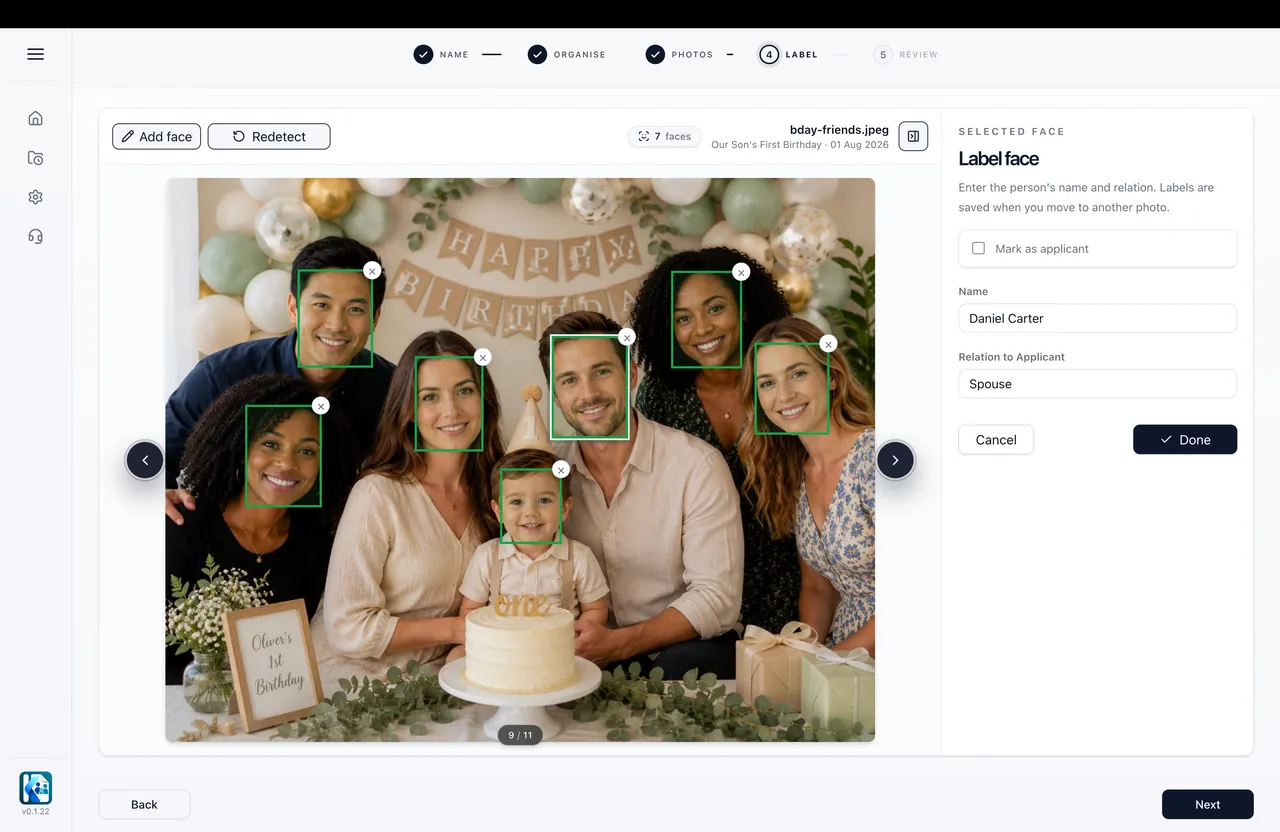
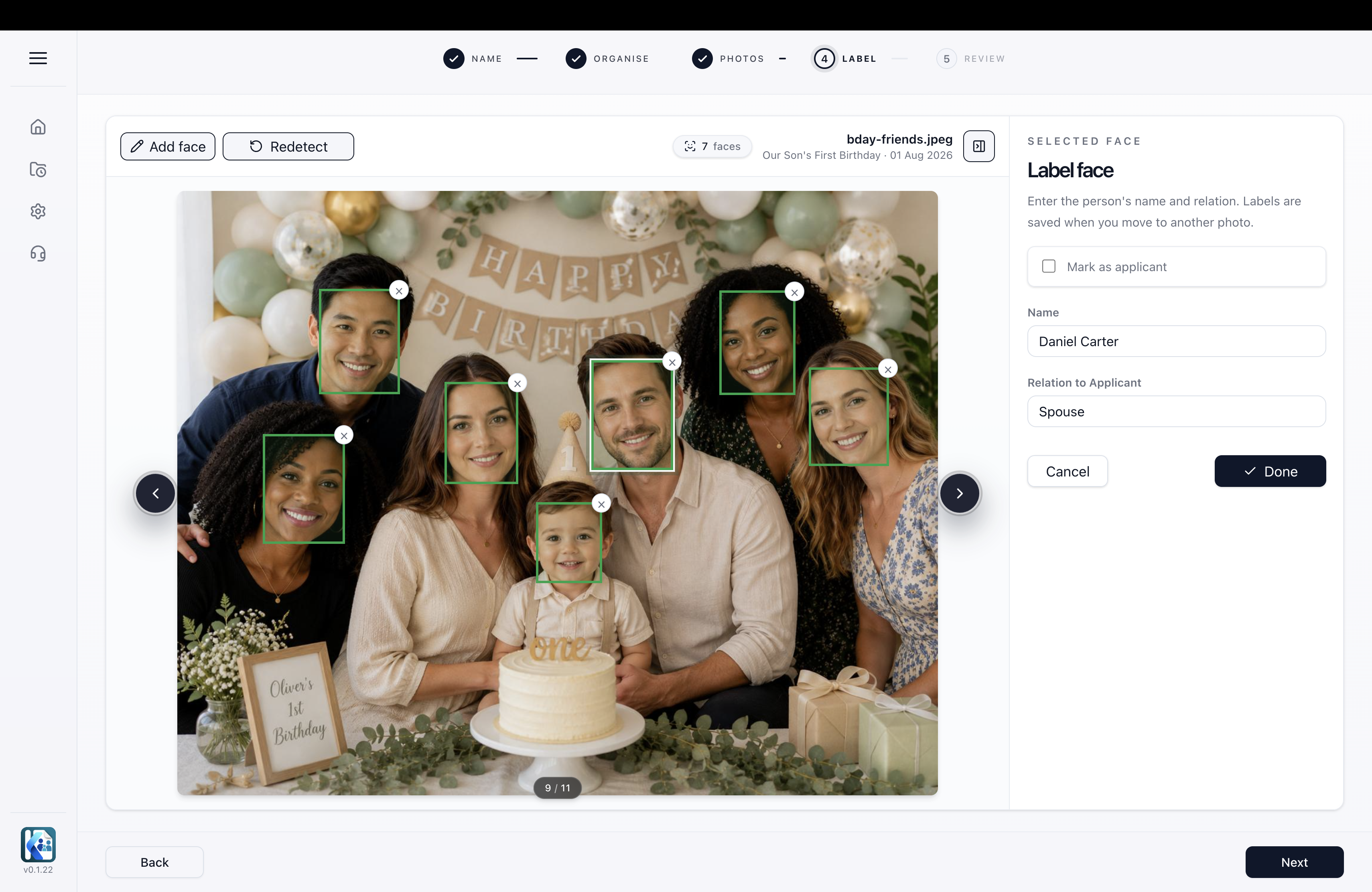
Faces found in a photo, each labelled with a name and a relation to the applicant.
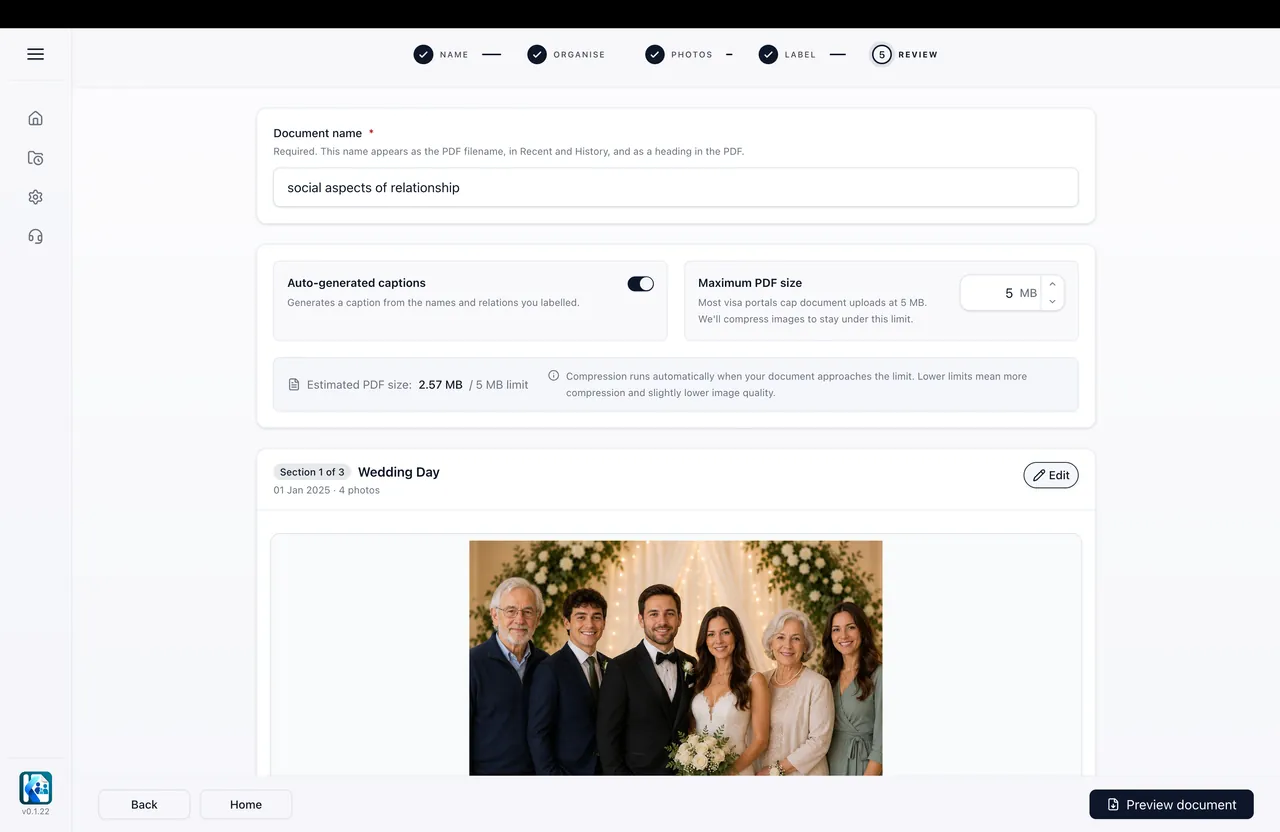
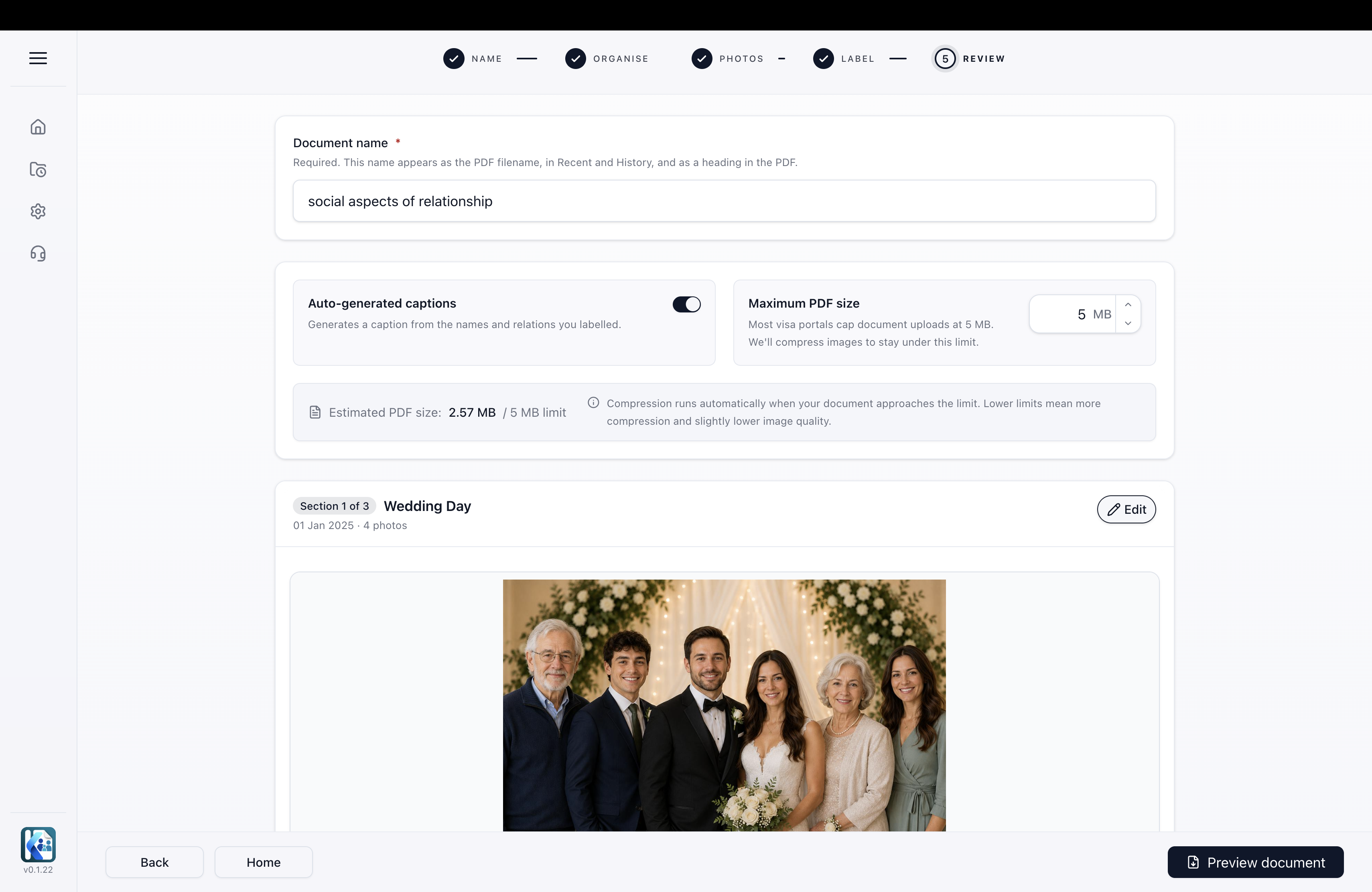
Captions built from the labels, with the document name and a 5 MB size target set before previewing.
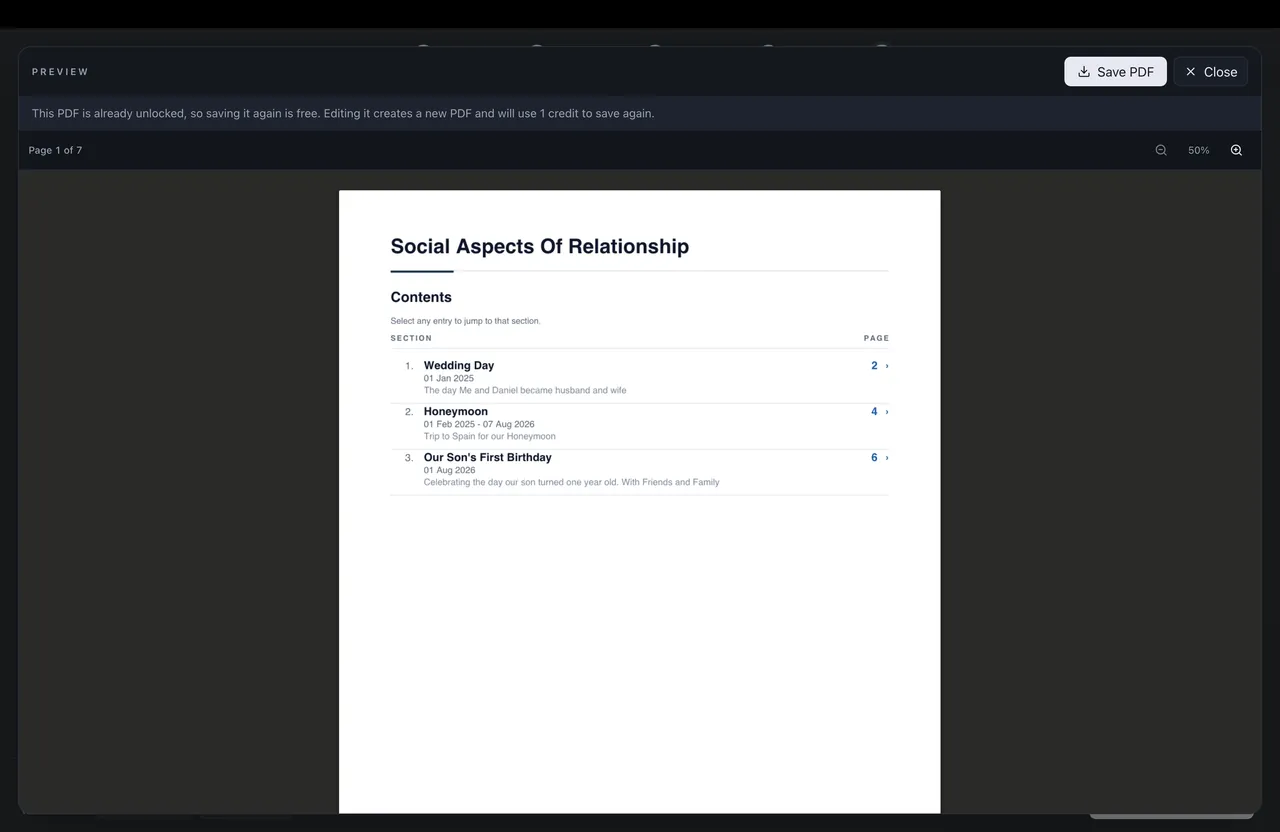
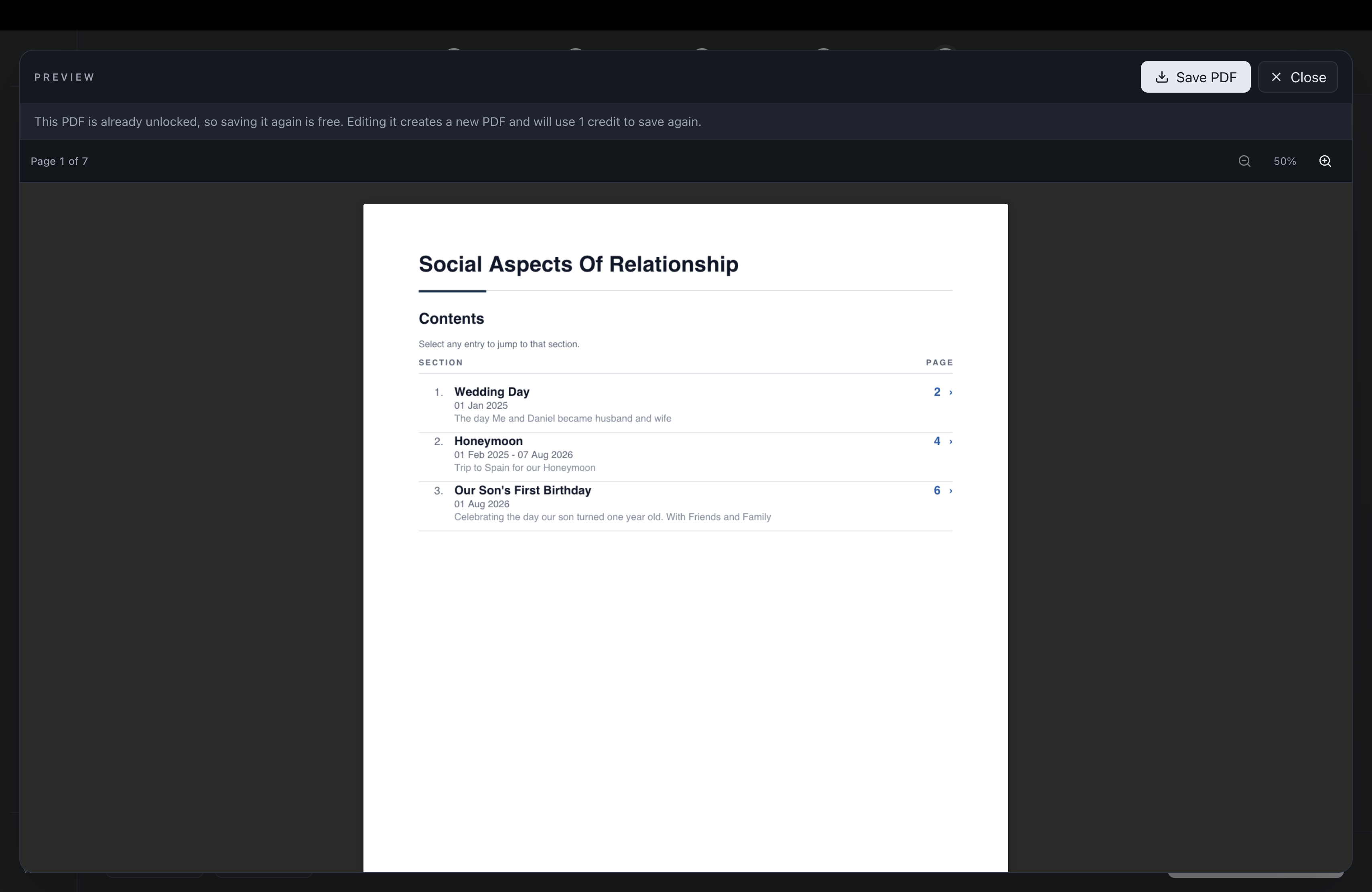
The contents page of a finished seven-page document, ready to save as a PDF.
Brand
Sky
#60D4F9
Dark-mode accent: buttons, highlighted words
Cyan
#1AB0D2
Light-mode accent: buttons, fills
Teal blue
#0183B3
Light-mode highlighted headline words
Ice
#82F5F9
“Visa” in the bright wordmark
K blue
#016DF3
The K and “in” in the bright wordmark
Deep blue
#015CD0
Shading in the K
Navy
#002055
Darkest shade in the K
Charcoal
#222831
Text on light, header
Graphite
#393E46
Header gradient, secondary surfaces
Night
#171C22
Dark-mode background
Cloud
#EEEEEE
Light-mode background
White
#FFFFFF
Cards, document pages
Headings and the website lockup. Weights 500, 600, 700. SIL Open Font Licence.
Body text. Weights 400, 500, 600. SIL Open Font Licence.
Accuracy
For interviews, review access, or anything not covered here, email [email protected] with “Press” in the subject line. The story behind KinVisa is on the About page.